The first-round phone screen is where a recruiter's week quietly disappears. A call meant to take a few minutes arrives with booking messages, a reschedule, the occasional no-show, notes to write up and a record to update. Repeat that for every applicant who looks plausible on paper and little time is left for the longer conversations that decide hires.
Yet the call does real work, and candidates notice when it's gone. The human touch they value isn't the phone. It's hearing about the job from someone who knows it, being asked about their own experience rather than a generic list, and knowing what happens next. All of that can survive the call's replacement if you plan for it.
This guide covers what the screen is for, how to count what it costs, the four main replacements, and the rules that keep candidates informed and a person in charge of every decision.
What your first call is really doing
Before picking a replacement, list the jobs your current phone screen does. Most first calls mix five:
- Confirming the basics: location, work authorization, pay expectations, availability and notice period.
- Hearing how someone communicates: whether they answer the question asked and explain their work clearly.
- Probing the resume: the gap, the vague job title, the claim that needs a follow-up.
- Selling the role: answering the candidate's questions and giving them a reason to continue.
- Choosing who gets the longer interview.
A replacement step can take on the first three. The fourth works less well without a person, and the fifth should stay with one. The options below aren't ranked; the right one depends on which of these jobs matters most for the role.
Count what the call costs you now
Track one ordinary week before changing anything. For each recruiter, note:
- Screens held, and screens booked that didn't happen.
- Time per screen from first message to final note: booking, the call itself, the write-up, updating the candidate's record and telling them the outcome.
- Rebooking time for every no-show and reschedule.
- Days from application to screen for the people you called.
Multiply screens by time per screen, then add the rebooking. Say a recruiter holds 15 screens in a week at 30 minutes each from booking to final note: that's seven and a half hours before anyone has had a deeper interview. Your numbers will differ, which is the reason to measure them.
The calendar delay counts too. The median time to fill a non-executive role is 39 days, according to SHRM Recruiting Benchmarking, and every day spent trading voicemails at the first step comes out of that window. So does a quieter cost: applicants who never get screened because nobody had time, and were judged on a resume skim instead.
Keep the worksheet. It's the baseline any replacement has to beat.
Four ways to replace the call
One-way video
Candidates record answers to set questions whenever it suits them, and your team watches later. It fits roles where how someone presents matters, such as client-facing or sales roles, and it takes scheduling out of the first step entirely.
What it can't do is react. A recorded question can't ask "what did you mean by that?", so probing the resume still waits for a person, and someone has to watch every recording. Some applicants also dislike being on camera this early. Our video screening tools comparison covers the products, and the one-way video interview guide covers question design, time limits and review.
AI-led conversations
An AI asks the role's questions by voice, video or chat and follows up on the answers. Your team gets back some mix of transcript, summary and score, depending on the tool. Of the four options, this comes closest to the phone screen's probing job, and every applicant gets the same questions instead of only those who survived the resume cut.
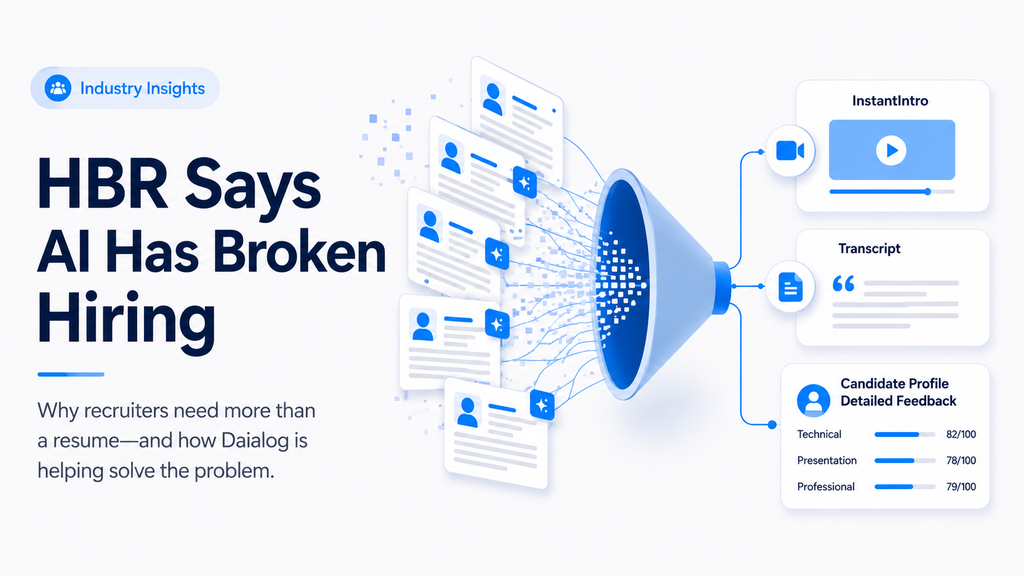
Daialog's InstantIntro is one example. Each applicant has a short spoken conversation with Daia, Daialog's AI screening agent, which asks the role's questions with follow-ups and assesses the conversation against the role. Recruiters get one Match Score per candidate with an explanation, candidates know they're talking with an AI, and Daia doesn't decide who moves forward. It's available as a standalone plan next to the ATS you already have.
Before choosing any AI interviewer, settle three things: how candidates are told, whether anything can screen them out without a person, and which format your applicants can manage. Our comparison of AI interviewer tools sets five of them side by side.
Every applicant has a short spoken conversation with Daia, assessed against your role. You decide who moves forward. See how InstantIntro works
Structured questionnaires
A short set of fixed questions in the application form or a follow-up link. This is the quickest way to handle the "confirming the basics" job, and applicants can answer from a phone.
It tells you little about communication, and answers are easy to give optimistically. Written answers are also the easiest part of an application to draft with AI, and hiring managers notice: 74% say they can tell when AI wrote an application, according to a CV Genius survey in the UK and Ireland in 2024. If a questionnaire answer can filter someone out, reserve that for true requirements, such as a required certification or the right to work in the country.
Assessments
Skills tests, work samples and aptitude tests show what someone can do rather than what they say. They fit roles with a testable core: writing, coding, data entry, numeracy.
They ask more of a candidate than a call does, so placement matters. A long test at the very first step can lose applicants you wanted; consider a short screen first and the longer task only for people already shortlisted. Our guide to alternatives to resume-only screening compares the testing options.
Mixing formats
The four aren't exclusive. A workable first round for a busy role might be a few questionnaire items for the basics plus one conversation or video step, with an assessment saved for the shortlist. Keep the total short enough that a strong candidate with other offers still finishes it.
Rules that keep the human touch
- Say what the step is before it starts. In the job post or invitation, name the format, roughly how long it takes, whether an AI is involved and who reviews the result. Don't save the AI disclosure for the screen itself.
- Keep a person on every decision. The tool can ask, summarize and sort; a recruiter or hiring manager decides who advances and who doesn't. If a product can screen people out on its own, choose deliberately whether to switch that on.
- Read beyond the score. Scores help you sort, while explanations and transcripts tell you why. Spot-check a few candidates just below wherever you draw the line.
- Answer everyone. Someone who completed your screen gave you their time. A prompt decision message, written or at least approved by a person, respects that.
- Offer another way in. Some people can't do a voice or video step: a disability, a poor connection, nowhere quiet to talk. Tell applicants how to ask for an alternative. In Daialog, for instance, each role can accept an InstantIntro, a resume, or either.
- Move the human call later instead of deleting it. The recruiter conversation still happens, with fewer people and the screen's notes in hand, so it can be about the candidate's questions and the job rather than the basics.
Here's how an invitation to an AI-led screen can cover the first rule in a few lines:
Thanks for applying for the Operations Coordinator role. The next step is a short spoken conversation with an AI interviewer about your experience, which you can take any time from a phone or computer. A person on our team reviews every conversation and will reply to you either way. If a voice step doesn't work for you, reply to this email and we'll arrange another way to continue.
Run a short pilot before switching
- Pick one role with a steady flow of applicants and a recruiter willing to compare old and new.
- Build the screen from your phone script. Use the questions you already ask on every call, and write down what a strong answer sounds like for each one.
- Run it on every applicant for a few weeks, and keep phoning a small sample, including some people the new screen rated low. If you'd have advanced them, fix the questions before going wider.
- Compare with your baseline week: recruiter hours, days from application to first interview, how many applicants finish the step, and what hiring managers think of the people now reaching them.
- Ask candidates one question at the end, such as whether the step let them show what they can do. Read the critical answers first.
- Decide role by role. Keep a live first call where it earns its time: senior hires, people you approached, and roles with only a handful of applicants.